
Using Pre-packaged Python Distribution: Anaconda
Anaconda is a packaged compilation of Python which have all the libraries widely used in Data science. We can follow the following steps to setup Python environment using Anaconda −
-
Step 1 − First, we need to download the required installation package from Anaconda distribution. The link for the same is www.anaconda.com/distribution/. You can choose from Windows, Mac and Linux OS as per your requirement.
-
Step 2 − Next, select the Python version you want to install on your machine. The latest Python version is 3.7. There you will get the options for 64-bit and 32-bit Graphical installer both.
-
Step 3 − After selecting the OS and Python version, it will download the Anaconda installer on your computer. Now, double click the file and the installer will install Anaconda package.
-
Step 4 − For checking whether it is installed or not, open a command prompt and type Python as follows −
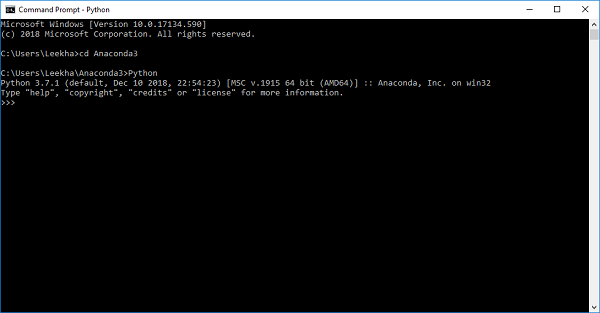
You can also check this in detailed video lecture at www.tutorialspoint.com/python_essentials_online_training/getting_started_with_anaconda.asp.