# Flask – Sessions
Like Cookie, Session data is stored on client. Session is the time interval when a client logs into a server and logs out of it. The data, which is needed to be held across this session, is stored in the client browser.
A session with each client is assigned a **Session ID**. The Session data is stored on top of cookies and the server signs them cryptographically. For this encryption, a Flask application needs a defined **SECRET\_KEY**.
Session object is also a dictionary object containing key-value pairs of session variables and associated values.
For example, to set a **‘username’** session variable use the statement −
```
Session[‘username’] = ’admin’
```
To release a session variable use **pop()** method.
```
session.pop('username', None)
```
The following code is a simple demonstration of session works in Flask. URL **‘/’** simply prompts user to log in, as session variable **‘username’** is not set.
```
@app.route('/')
def index():
if 'username' in session:
username = session['username']
return 'Logged in as ' + username + '
' + \
"click here to log out"
return "You are not logged in
" + \
"click here to log in"
```
As user browses to ‘/login’ the login() view function, because it is called through GET method, opens up a login form.
A Form is posted back to **‘/login’** and now session variable is set. Application is redirected to **‘/’**. This time session variable **‘username’** is found.
```
@app.route('/login', methods = ['GET', 'POST'])
def login():
if request.method == 'POST':
session['username'] = request.form['username']
return redirect(url_for('index'))
return '''
'''
```
The application also contains a **logout()** view function, which pops out **‘username’** session variable. Hence, **‘/’** URL again shows the opening page.
```
@app.route('/logout')
def logout():
# remove the username from the session if it is there
session.pop('username', None)
return redirect(url_for('index'))
```
Run the application and visit the homepage. (Ensure to set **secret\_key** of the application)
```
from flask import Flask, session, redirect, url_for, escape, request
app = Flask(__name__)
app.secret_key = 'any random string’
```
The output will be displayed as shown below. Click the link **“click here to log in”**.
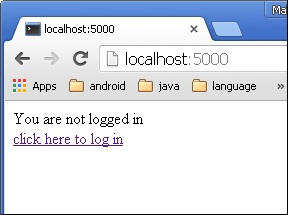
The link will be directed to another screen. Type ‘admin’.
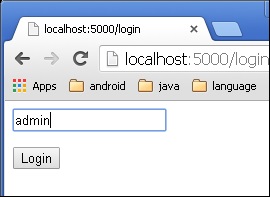
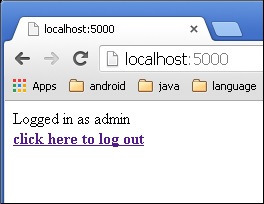
The screen will show you the message, **‘Logged in as admin’**.