# Django - Sessions
As discussed earlier, we can use client side cookies to store a lot of useful data for the web app. We have seen before that we can use client side cookies to store various data useful for our web app. This leads to lot of security holes depending on the importance of the data you want to save.
For security reasons, Django has a session framework for cookies handling. Sessions are used to abstract the receiving and sending of cookies, data is saved on server side (like in database), and the client side cookie just has a session ID for identification. Sessions are also useful to avoid cases where the user browser is set to ‘not accept’ cookies.
## Setting Up Sessions
In Django, enabling session is done in your project **settings.py**, by adding some lines to the **MIDDLEWARE\_CLASSES** and the **INSTALLED\_APPS** options. This should be done while creating the project, but it's always good to know, so **MIDDLEWARE\_CLASSES** should have −
```
'django.contrib.sessions.middleware.SessionMiddleware'
```
And **INSTALLED\_APPS** should have −
```
'django.contrib.sessions'
```
By default, Django saves session information in database (django\_session table or collection), but you can configure the engine to store information using other ways like: in **file** or in **cache**.
When session is enabled, every request (first argument of any view in Django) has a session (dict) attribute.
Let's create a simple sample to see how to create and save sessions. We have built a simple login system before (see Django form processing chapter and Django Cookies Handling chapter). Let us save the username in a cookie so, if not signed out, when accessing our login page you won’t see the login form. Basically, let's make our login system we used in Django Cookies handling more secure, by saving cookies server side.
For this, first lets change our login view to save our username cookie server side −
```
def login(request):
username = 'not logged in'
if request.method == 'POST':
MyLoginForm = LoginForm(request.POST)
if MyLoginForm.is_valid():
username = MyLoginForm.cleaned_data['username']
request.session['username'] = username
else:
MyLoginForm = LoginForm()
return render(request, 'loggedin.html', {"username" : username}
```
Then let us create formView view for the login form, where we won’t display the form if cookie is set −
```
def formView(request):
if request.session.has_key('username'):
username = request.session['username']
return render(request, 'loggedin.html', {"username" : username})
else:
return render(request, 'login.html', {})
```
Now let us change the url.py file to change the url so it pairs with our new view −
```
from django.conf.urls import patterns, url
from django.views.generic import TemplateView
urlpatterns = patterns('myapp.views',
url(r'^connection/','formView', name = 'loginform'),
url(r'^login/', 'login', name = 'login'))
```
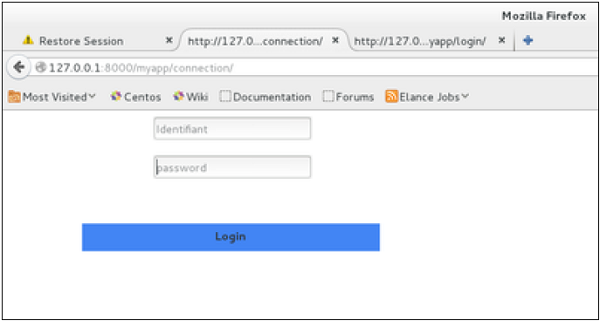
When accessing /myapp/connection, you will get to see the following page −
And you will get redirected to the following page −
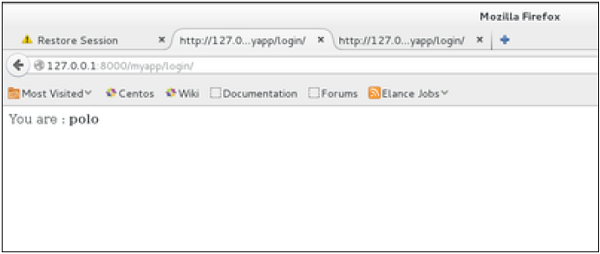
Now if you try to access /myapp/connection again, you will get redirected to the second screen directly.
Let's create a simple logout view that erases our cookie.
```
def logout(request):
try:
del request.session['username']
except:
pass
return HttpResponse("You are logged out.")
```
And pair it with a logout URL in myapp/url.py
```
url(r'^logout/', 'logout', name = 'logout'),
```
Now, if you access /myapp/logout, you will get the following page −
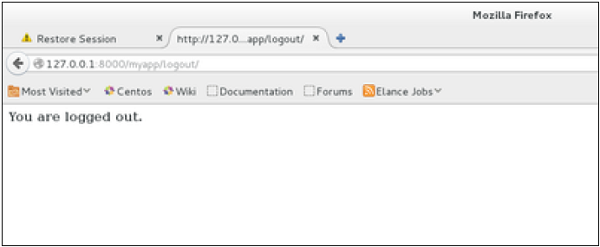
If you access /myapp/connection again, you will get the login form (screen 1).
### Some More Possible Actions Using Sessions
We have seen how to store and access a session, but it's good to know that the session attribute of the request have some other useful actions like −
- **set\_expiry (*value*)** − Sets the expiration time for the session.
- **get\_expiry\_age()** − Returns the number of seconds until this session expires.
- **get\_expiry\_date()** − Returns the date this session will expire.
- **clear\_expired()** − Removes expired sessions from the session store.
- **get\_expire\_at\_browser\_close()** − Returns either True or False, depending on whether the user’s session cookies have expired when the user’s web browser is closed.