# Django - File Uploading
It is generally useful for a web app to be able to upload files (profile picture, songs, pdf, words.....). Let's discuss how to upload files in this chapter.
## Uploading an Image
Before starting to play with an image, make sure you have the Python Image Library (PIL) installed. Now to illustrate uploading an image, let's create a profile form, in our myapp/forms.py −
```
#-*- coding: utf-8 -*-
from django import forms
class ProfileForm(forms.Form):
name = forms.CharField(max_length = 100)
picture = forms.ImageFields()
```
As you can see, the main difference here is just the **forms.ImageField**. ImageField will make sure the uploaded file is an image. If not, the form validation will fail.
Now let's create a "Profile" model to save our uploaded profile. This is done in myapp/models.py −
```
from django.db import models
class Profile(models.Model):
name = models.CharField(max_length = 50)
picture = models.ImageField(upload_to = 'pictures')
class Meta:
db_table = "profile"
```
As you can see for the model, the ImageField takes a compulsory argument: **upload\_to**. This represents the place on the hard drive where your images will be saved. Note that the parameter will be added to the MEDIA\_ROOT option defined in your settings.py file.
Now that we have the Form and the Model, let's create the view, in myapp/views.py −
```
#-*- coding: utf-8 -*-
from myapp.forms import ProfileForm
from myapp.models import Profile
def SaveProfile(request):
saved = False
if request.method == "POST":
#Get the posted form
MyProfileForm = ProfileForm(request.POST, request.FILES)
if MyProfileForm.is_valid():
profile = Profile()
profile.name = MyProfileForm.cleaned_data["name"]
profile.picture = MyProfileForm.cleaned_data["picture"]
profile.save()
saved = True
else:
MyProfileForm = Profileform()
return render(request, 'saved.html', locals())
```
The part not to miss is, there is a change when creating a ProfileForm, we added a second parameters: **request.FILES**. If not passed the form validation will fail, giving a message that says the picture is empty.
Now, we just need the **saved.html** template and the **profile.html** template, for the form and the redirection page −
**myapp/templates/saved.html** −
```
{% if saved %}
Your profile was saved.
{% endif %}
{% if not saved %}
Your profile was not saved.
{% endif %}
```
**myapp/templates/profile.html** −
```
```
Next, we need our pair of URLs to get started: myapp/urls.py
```
from django.conf.urls import patterns, url
from django.views.generic import TemplateView
urlpatterns = patterns(
'myapp.views', url(r'^profile/',TemplateView.as_view(
template_name = 'profile.html')), url(r'^saved/', 'SaveProfile', name = 'saved')
)
```
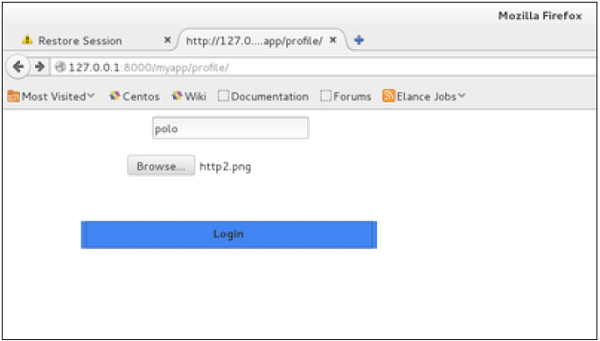
When accessing "/myapp/profile", we will get the following profile.html template rendered −
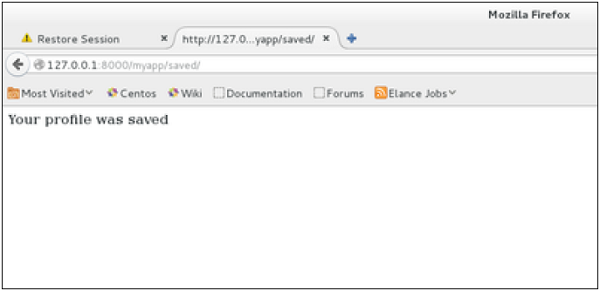
And on form post, the saved template will be rendered −
We have a sample for image, but if you want to upload another type of file, not just image, just replace the **ImageField** in both Model and Form with **FileField**.