# Django - Admin Interface
Django provides a ready-to-use user interface for administrative activities. We all know how an admin interface is important for a web project. Django automatically generates admin UI based on your project models.
## Starting the Admin Interface
The Admin interface depends on the django.countrib module. To have it working you need to make sure some modules are imported in the INSTALLED\_APPS and MIDDLEWARE\_CLASSES tuples of the myproject/settings.py file.
For INSTALLED\_APPS make sure you have −
```
INSTALLED_APPS = (
'django.contrib.admin',
'django.contrib.auth',
'django.contrib.contenttypes',
'django.contrib.sessions',
'django.contrib.messages',
'django.contrib.staticfiles',
'myapp',
)
```
For MIDDLEWARE\_CLASSES −
```
MIDDLEWARE_CLASSES = (
'django.contrib.sessions.middleware.SessionMiddleware',
'django.middleware.common.CommonMiddleware',
'django.middleware.csrf.CsrfViewMiddleware',
'django.contrib.auth.middleware.AuthenticationMiddleware',
'django.contrib.messages.middleware.MessageMiddleware',
'django.middleware.clickjacking.XFrameOptionsMiddleware',
)
```
Before launching your server, to access your Admin Interface, you need to initiate the database −
```
$ python manage.py migrate
```
syncdb will create necessary tables or collections depending on your db type, necessary for the admin interface to run. Even if you don't have a superuser, you will be prompted to create one.
If you already have a superuser or have forgotten it, you can always create one using the following code −
```
$ python manage.py createsuperuser
```
Now to start the Admin Interface, we need to make sure we have configured a URL for our admin interface. Open the myproject/url.py and you should have something like −
```
from django.conf.urls import patterns, include, url
from django.contrib import admin
admin.autodiscover()
urlpatterns = patterns('',
# Examples:
# url(r'^$', 'myproject.views.home', name = 'home'),
# url(r'^blog/', include('blog.urls')),
url(r'^admin/', include(admin.site.urls)),
)
```
Now just run the server.
```
$ python manage.py runserver
```
And your admin interface is accessible at: http://127.0.0.1:8000/admin/
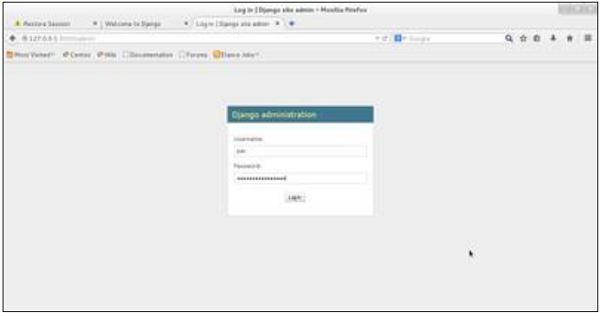
Once connected with your superuser account, you will see the following screen −
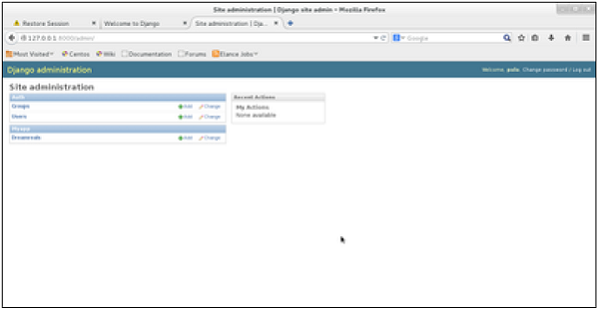
That interface will let you administrate Django groups and users, and all registered models in your app. The interface gives you the ability to do at least the "CRUD" (Create, Read, Update, Delete) operations on your models.