Node.js - First Application
Before creating an actual "Hello, World!" application using Node.js, let us see the components of a Node.js application. A Node.js application consists of the following three important components −
-
Import required modules − We use the require directive to load Node.js modules.
-
Create server − A server which will listen to client's requests similar to Apache HTTP Server.
-
Read request and return response − The server created in an earlier step will read the HTTP request made by the client which can be a browser or a console and return the response.
Creating Node.js Application
Step 1 - Import Required Module
We use the require directive to load the http module and store the returned HTTP instance into an http variable as follows −
var http = require("http");
Step 2 - Create Server
We use the created http instance and call http.createServer() method to create a server instance and then we bind it at port 8081 using the listen method associated with the server instance. Pass it a function with parameters request and response. Write the sample implementation to always return "Hello World".
http.createServer(function (request, response) {
   // Send the HTTP header
   // HTTP Status: 200 : OK
   // Content Type: text/plain
   response.writeHead(200, {'Content-Type': 'text/plain'});

   // Send the response body as "Hello World"
   response.end('Hello World\n');
}).listen(8081);

// Console will print the message
console.log('Server running at http://127.0.0.1:8081/');
The above code is enough to create an HTTP server which listens, i.e., waits for a request over 8081 port on the local machine.
Step 3 - Testing Request & Response
Let's put step 1 and 2 together in a file called main.js and start our HTTP server as shown below −
var http = require("http");

http.createServer(function (request, response) {
   // Send the HTTP header
   // HTTP Status: 200 : OK
   // Content Type: text/plain
   response.writeHead(200, {'Content-Type': 'text/plain'});

   // Send the response body as "Hello World"
   response.end('Hello World\n');
}).listen(8081);

// Console will print the message
console.log('Server running at http://127.0.0.1:8081/');
Now execute the main.js to start the server as follows −
$ node main.js
Verify the Output. Server has started.
Server running at http://127.0.0.1:8081/
Make a Request to the Node.js Server
Open http://127.0.0.1:8081/ in any browser and observe the following result.
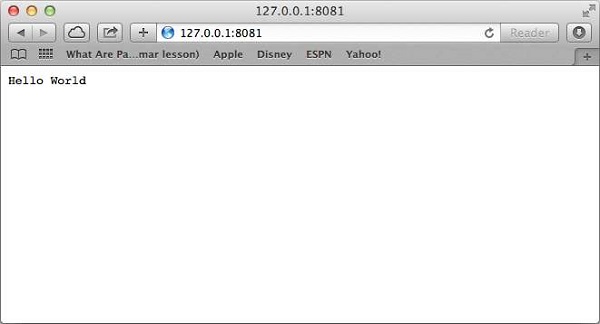
Congratulations, you have your first HTTP server up and running which is responding to all the HTTP requests at port 8081.