Amazon Web Services - Amazon S3
Amazon S3 (Simple Storage Service) is a scalable, high-speed, low-cost web-based service designed for online backup and archiving of data and application programs. It allows to upload, store, and download any type of files up to 5 TB in size. This service allows the subscribers to access the same systems that Amazon uses to run its own web sites. The subscriber has control over the accessibility of data, i.e. privately/publicly accessible.
How to Configure S3?
Following are the steps to configure a S3 account.
Step 1 − Open the Amazon S3 console using this link − https://console.aws.amazon.com/s3/home
Step 2 − Create a Bucket using the following steps.
-
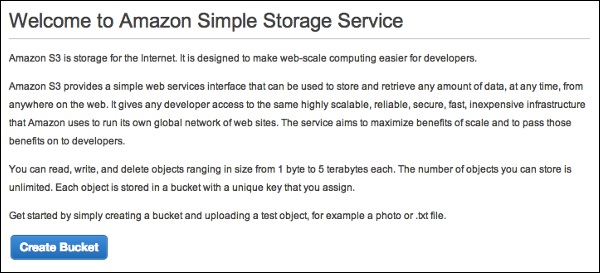
A prompt window will open. Click the Create Bucket button at the bottom of the page.
-
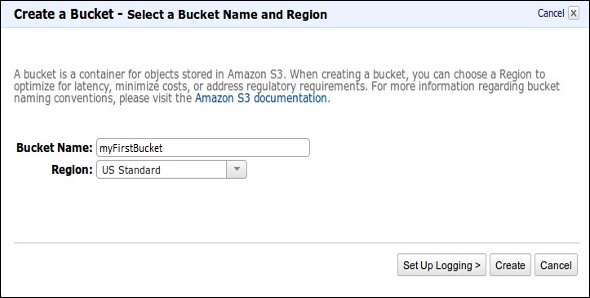
Create a Bucket dialog box will open. Fill the required details and click the Create button.
-
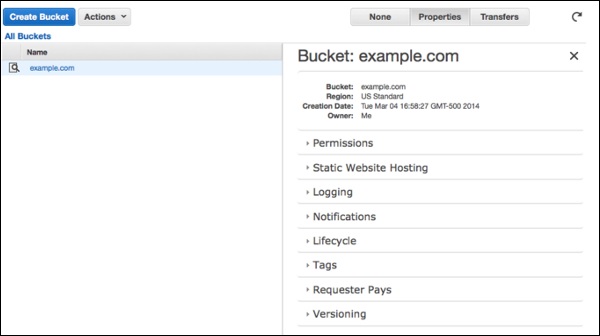
The bucket is created successfully in Amazon S3. The console displays the list of buckets and its properties.
-
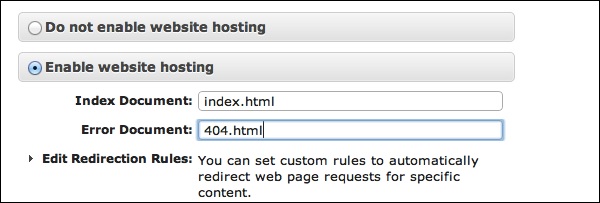
Select the Static Website Hosting option. Click the radio button Enable website hosting and fill the required details.
Step 3 − Add an Object to a bucket using the following steps.
-
Open the Amazon S3 console using the following link − https://console.aws.amazon.com/s3/home
-
Click the Upload button.
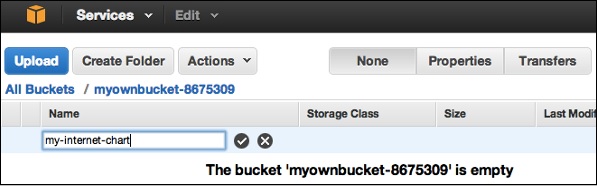
-
Click the Add files option. Select those files which are to be uploaded from the system and then click the Open button.
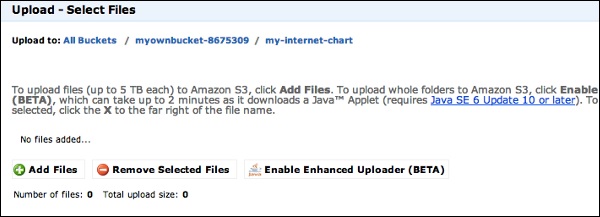
-
Click the start upload button. The files will get uploaded into the bucket.
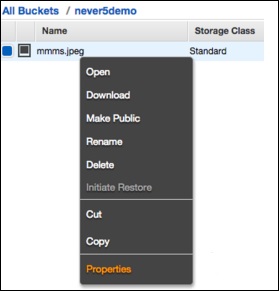
To open/download an object − In the Amazon S3 console, in the Objects & Folders list, right-click on the object to be opened/downloaded. Then, select the required object.
How to Move S3 Objects?
Following are the steps to move S3 objects.
step 1 − Open Amazon S3 console.
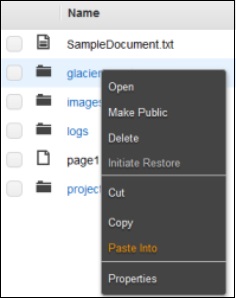
step 2 − Select the files & folders option in the panel. Right-click on the object that is to be moved and click the Cut option.
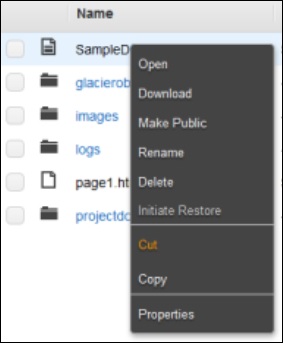
step 3 − Open the location where we want this object. Right-click on the folder/bucket where the object is to be moved and click the Paste into option.
How to Delete an Object?
Step 1 − Open Amazon S3.
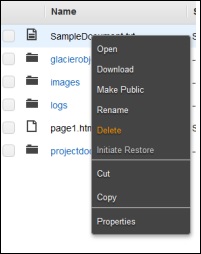
Step 2 − Select the files & folders option in the panel. Right-click on the object that is to be deleted. Select the delete option.
Step 3 − A pop-up window will open for confirmation. Click Ok.
How to Empty a Bucket?
Step 1 − Open Amazon S3 console.
Step 2 − Right-click on the bucket that is to be emptied and click the empty bucket option.
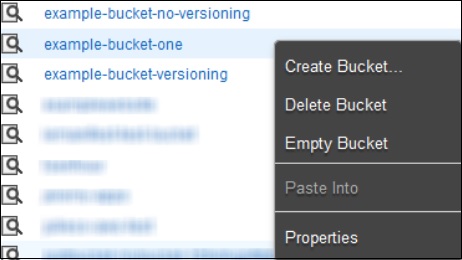
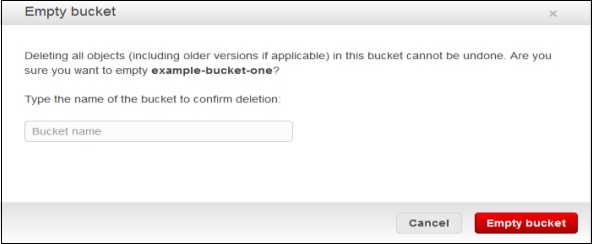
Step 3 − A confirmation message will appear on the pop-up window. Read it carefully and click the Empty bucket button to confirm.
Amazon S3 Features
-
Low cost and Easy to Use − Using Amazon S3, the user can store a large amount of data at very low charges.
-
Secure − Amazon S3 supports data transfer over SSL and the data gets encrypted automatically once it is uploaded. The user has complete control over their data by configuring bucket policies using AWS IAM.
-
Scalable − Using Amazon S3, there need not be any worry about storage concerns. We can store as much data as we have and access it anytime.
-
Higher performance − Amazon S3 is integrated with Amazon CloudFront, that distributes content to the end users with low latency and provides high data transfer speeds without any minimum usage commitments.
-
Integrated with AWS services − Amazon S3 integrated with AWS services include Amazon CloudFront, Amazon CLoudWatch, Amazon Kinesis, Amazon RDS, Amazon Route 53, Amazon VPC, AWS Lambda, Amazon EBS, Amazon Dynamo DB, etc.